
3 Easy Steps to Create a Photo Collage Shirt Online

Last Updated: November 14, 2026
Quick Summary
To create a photo collage shirt online, choose a custom photo collage t-shirt or all-over print photo t-shirt, then upload 15 to 20 photos through our online photo uploader or by email. Arrange your collage and add text, then review the hand-made mockup our team sends before printing.
- Both shirt options are made from 100% polyester.
- We suggest uploading 15 to 20 photos for a collage.
- Decide on a square, portrait, or landscape layout early.
- Zoom in on faces to check for pixelation before uploading.
- Our team builds your mockup by hand, not with AI, for review.
Table of Contents
- Step 1: Choose Your Shirt and Upload Photos
- Step 2: Arrange Your Collage and Add Text
- Step 3: Review Your Hand-Made Mockup and Order
- Frequently Asked Questions
Step 1: Choose Your Shirt and Upload Photos
Creating a photo collage shirt online starts with two decisions: which photo collage shirt and which photos. Browse our custom photo collage t-shirt or the all-over print photo t-shirt, both made from 100% polyester. Then upload your photos through our online photo uploader (or email them); we suggest 15 to 20 for a collage.
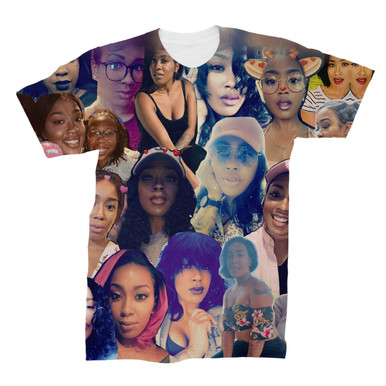
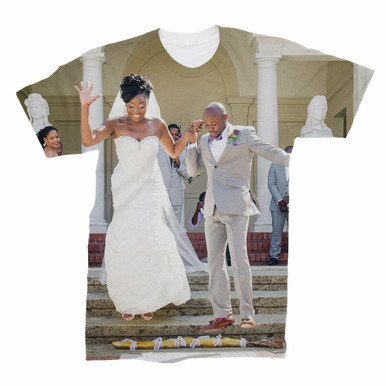
Before uploading, run a quick quality check, the step most people skip and the one that decides whether the finished shirt looks sharp or soft.
-
Aspect ratio: Decide early whether your layout is square, portrait, or landscape, and pick photos that fit that shape.
-
Faces: Zoom in on the eyes. If they look pixelated at print size, they will look pixelated on fabric.
Watch Out: Do not assume a photo is high resolution because it looks fine on a phone screen. Phone screens are forgiving; fabric is not.
Here are the key facts to keep in mind when choosing your shirt and uploading photos.
| Item | Value | Note |
|---|---|---|
| Shirt options | Custom photo collage t-shirt or all-over print photo t-shirt | Both made from 100% polyester |
| Suggested photo count | 15 to 20 | For a collage |
| Upload method | Online photo uploader or email | Photos submitted through the uploader |
| Aspect ratio | Square, portrait, or landscape | Decide early and pick photos that fit |
| Faces check | Zoom in on the eyes | Pixelated at print size means pixelated on fabric |
Step 2: Arrange Your Collage and Add Text
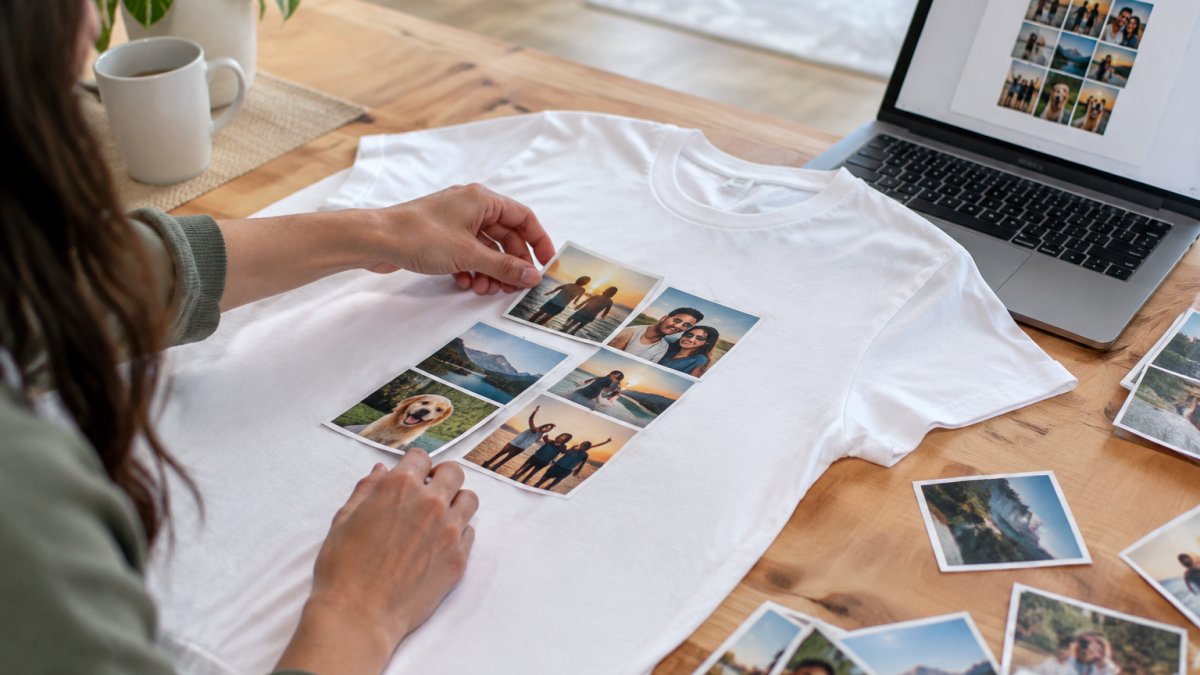
Once your photos are in, arrange the collage, choose a layout, and add text that gives the design its meaning. A clean collage beats a crowded one: pick a focal photo, build the grid around it, and group pictures by theme.
Want more inspiration? Our guide on designing personalized photo collage apparel walks through layout and text ideas.
Step 3: Review Your Hand-Made Mockup and Order
Here is where we differ from an automated tool. After you submit your design through our online photo uploader, our team builds a mockup of your design by hand, not with AI, and sends it to you for review before anything goes to print.
When the mockup arrives, review it carefully before approving it.
Once you approve the mockup, the shirt is printed using sublimation printing.
Delivery timing depends on current processing times, so check our website for current timelines. Need it sooner for a memorial or birthday? Contact us before ordering. Ordering five or more shirts? Ask for a bulk quote.
Then it is done. A one-of-a-kind design, printed on a shirt that is yours alone.
Ready to turn your favorite pictures into wearable art? Subliworks makes it easy with our online photo uploader, a hand-made mockup for every order, and sublimation printing that keeps colors vibrant. Choose your shirt, upload your photos, and let our team build your design. Get started with Subliworks and create a photo collage shirt you will want to wear everywhere.
Frequently Asked Questions
How many photos should I use for a photo collage shirt?
For a clean, readable design, aim for 15 to 20 photos. Subliworks recommends this range for their Custom Photo Collage T-Shirt to keep the layout balanced without looking cluttered. If you have hundreds of family pictures, pick the strongest 15 to 20 that tell your story. Fewer photos mean each image is larger and clearer on the fabric, which matters for print quality.
Can I add text to my custom shirt with picture and text?
Yes. After uploading your photos through the online uploader, you can add names, dates, or a short message to your design. A script name or a graduation year works well alongside a photo grid. Subliworks sends a hand-made mockup so you can check text placement and spelling before printing. If anything needs adjusting, you approve changes before the shirt goes to production.
Will my phone photos look clear when printed on a shirt?
Phone photos can print well if they are sharp and well-lit. Avoid screenshots or heavily cropped images, which lose resolution. Subliworks reviews your uploaded files and creates a hand-made mockup so you can see how each photo sits in the collage before printing. If an image looks too soft for fabric, the design team can flag it during the mockup stage.

Explore Popular Articles

3 Easy Steps to Create a Photo Collage Shirt Online
Last Updated: November 14, 2026 Quick Summary To create a photo collage shirt online, choose a cust...

How to Design Personalized Photo Collage Apparel
Last Updated: November 14, 2026 Quick Summary Personalized photo collage apparel works best when yo...